With the online booking calendar, patients see on your website when you are available and book their appointment themselves. It helps you reach new clients and fill open slots.
Online booking is included in every PRAXSYS package.
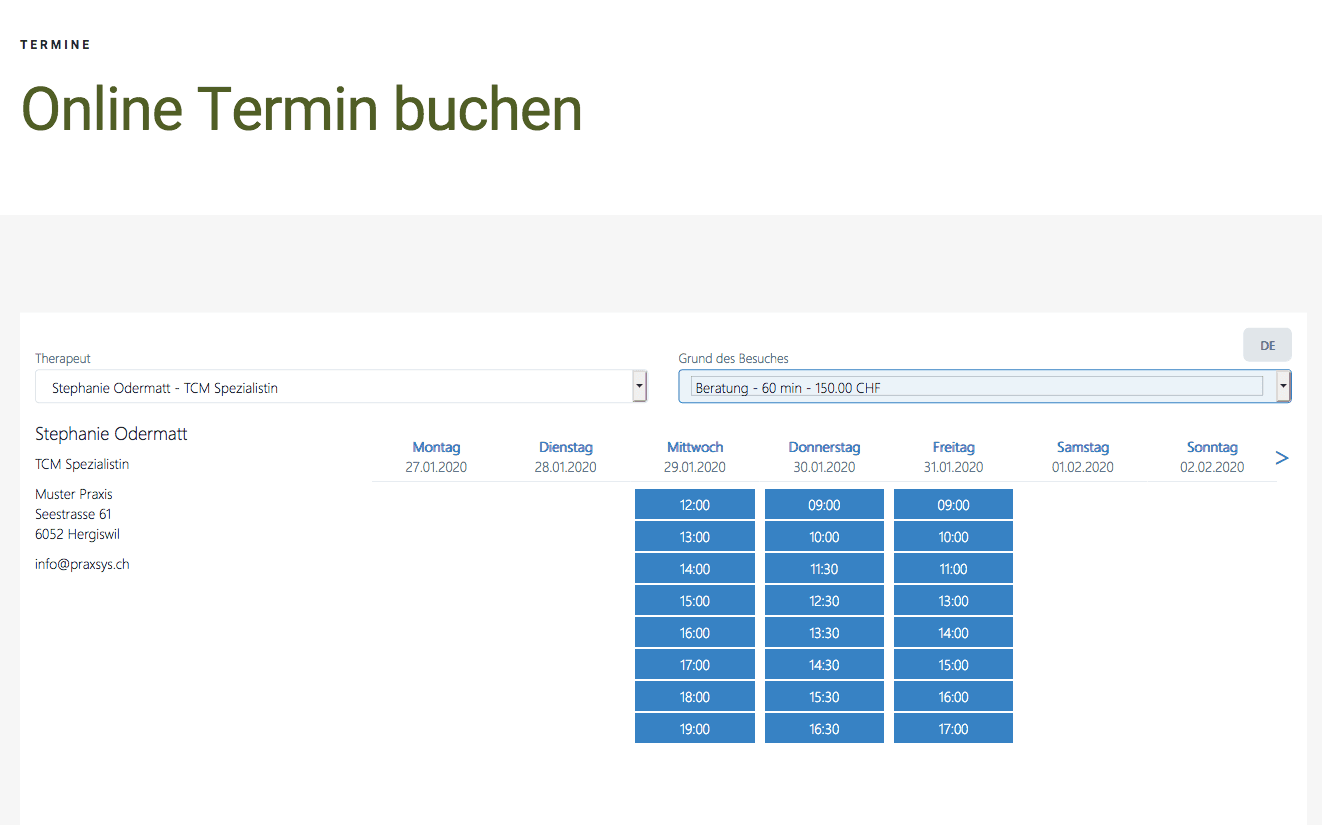
Before you start
For the calendar to show open slots, add the following to your practice profile:
- Your working hours
- Your booking reasons, each with its time window and whether parallel bookings are possible
How to add the calendar
Open the online calendar settings
Open your practice profile and select the online calendar tab.
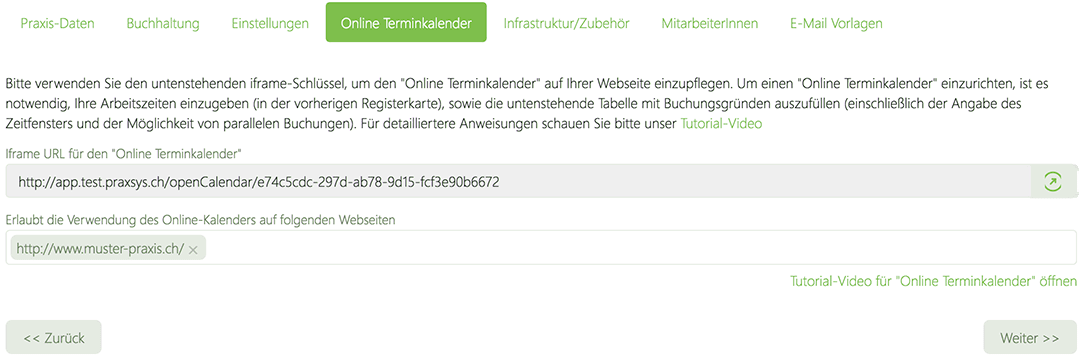
Allow your website
In the list of websites allowed to use the online calendar, enter your website’s address, for example https://www.your-practice.ch.
Test the calendar
Click the arrow icon next to the iframe URL and check that your open slots appear.
Copy the iframe URL
Copy the iframe URL. You will need it in the next step.
Add the code to your website
Copy the code below, replace the placeholder in src with the address you copied, and paste it on the page where patients should book.
Code for your website
The code shows the calendar as an iframe: a window that displays another web page inside your own.
<iframe
  src="YOUR-IFRAME-URL"
  title="Book an appointment online"
  width="100%"
  height="750"
  style="border: 0"
></iframe>
What each part does
src- The iframe URL from PRAXSYS.
title- Describes the calendar for screen readers. You can change the text.
width- Width of the calendar. At 100%, it fills the available width.
height- Height in pixels. We recommend 750. If a scroll bar appears, increase the value.
style- Removes the border around the calendar.
Add the code in your website builder
If your website is hand-coded, paste the code where you want it in the HTML. In a website builder, use an HTML or code element. These guides show where to find it:
We can set up the calendar for you
Prefer not to add the code yourself? Our web developers will add the calendar to your website. We just need access to your website.
from CHF 160.00
Get in touch